Dir (command)
Shell command for listing files and directories

dir, short for directory, is a shell command for listing file system contents: files and directories. Arguably, the command provides the same essential functionality as the ls command, but typically the two commands are described as notably separate concepts, possibly since ls is implemented from a codebase that shares more history than many dir implementations.
The command is often implemented as internal in the operating system shell instead of as a separate application as many other commands are.
01Variants
Although syntax, semantics and implementations vary, a dir command with essentially the same functionality is available in the operating systems: CP/M, MP/M, ISIS-II, iRMX 86, CDOS, TRIPOS, DOS, 4690 OS, OS/2, Windows, Singularity, ROM-DOS, ReactOS, GNU, AROS, VMS, RT-11, RSX-11, OS/8, 86-DOS, MS-DOS (in versions 1 and later), and DOSBox.
Some applications also provide a dir command with similar functionality. The typical File Transfer Protocol (FTP) command-line client provides a dir command for listing a remote directory. The numerical computing environments MATLAB and GNU Octave include a dir command.
Generally, Unix-like systems use the ls command for the needs that dir satisfies in other types of systems. Notably, the Unix-like GNU operating system, provides a dir command that is equivalent to ls -C -b; that is, by default files are listed in columns, sorted vertically, and special characters are represented by backslash escape sequences.


02Examples
List all files and directories in the working directory.
C:\Users>dirList text and batch files of the working directory by specifying filename extensions ".txt" or ".bat" with the "*" wildcard character that matches any base file name.
C:\Users>dir *.txt *.batList files and directories in the specified directory and any subdirectories, recursively, in wide format, pausing after each screen of output. The directory name is enclosed in double-quotes, to prevent it from being interpreted is as two separate command-line options because it contains a space.
C:\Users>dir /s /w /p "C:\Users\johndoe\My Documents"List any NTFS junction points:
C:\Users>dir /ash Volume in drive C is OS. Volume Serial Number is xxxx-xxxx Directory of C:\Users 12/07/2019 02:30 AM <SYMLINKD> All Users [C:\ProgramData] 12/07/2019 02:30 AM <JUNCTION> Default User [C:\Users\Default] 12/07/2019 02:12 AM 174 desktop.ini 1 File(s) 174 bytes 2 Dir(s) 332,659,789,824 bytes free

Sources and credits
This article is adapted from the Wikipedia article “Dir (command)”, written by its contributors and licensed under CC BY-SA 4.0. Fathomly has changed the layout, removed citation markers, navigation and maintenance notices, and adjusted punctuation. This adapted version is shared under the same license. For references, see the original article.
Images, from Wikimedia Commons:
- SpartaDOS X prompt.png by Unknown author, Public domain
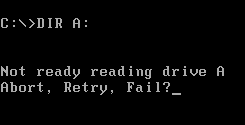
- Abort Retry Fail.PNG by Benjamin Scott (Wikipedia user DragonHawk), Public domain
- Commodore C128 CPM Screenshot 2 full.jpg by Andreas Pernau, CC BY-SA 3.0
- Robotron1715SCREEN.gif by Ris2002, CC BY-SA 3.0
- J Elwro 804 Junior.JPG by Unknown author, CC BY-SA 3.0
- Dir command in Windows Command Prompt.png by Loadmaster (David R. Tribble) This image was made by Loadmaster (David R. Tribble). Email the author: David R. Tribble Also see my personal gallery at Google Photos, Public domain
Fathomly is not affiliated with or endorsed by the Wikimedia Foundation. Spotted a problem? Tell us.
